Point of sale · Costa Rica
A restaurant POS system, from the floor to the register
Lumix POS is the point of sale for restaurants, sodas and cafés in Costa Rica: tables, orders, kitchen and payments in the browser on the tablets, phones and computers you already own.
Already using Lumix POS? Sign in
What it does
A point of sale built around restaurant service
A restaurant doesn't sell like a shop. Tables open and stay open, dishes come with options, the kitchen has to hear about every change, and bills get split at the end. Lumix POS is built for that rhythm.
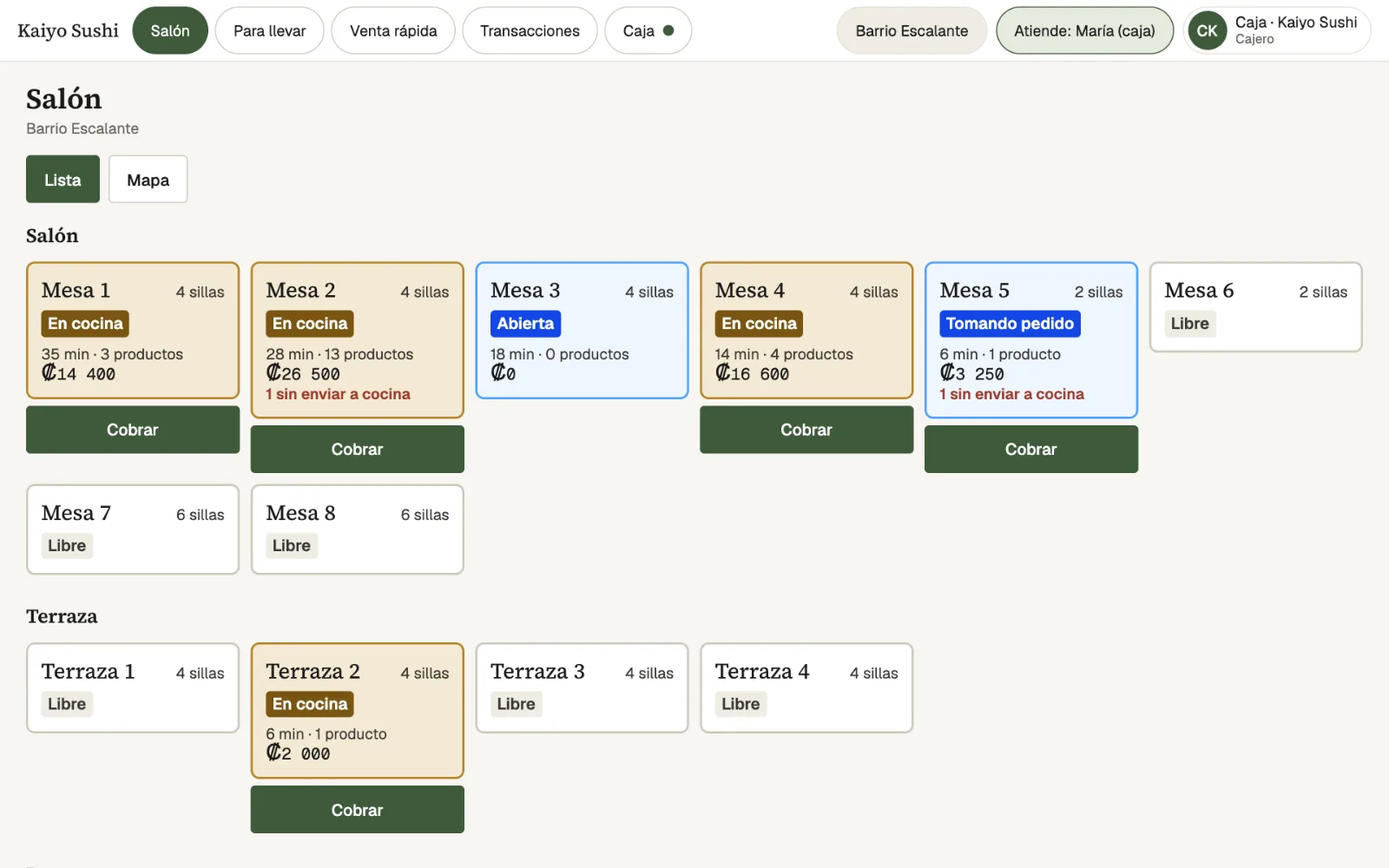
Servers see every table by zone, as a list or on a map laid out like your room, with each table's state, how long it has been open and what it adds up to. They take the order on the tablet, pick each dish's options and send it to the kitchen. If dessert is added later, only the dessert goes to the kitchen, never the whole table again.
When it's time to pay, the bill already has VAT and the service charge worked out. It can be paid in full, in equal parts, with several payment methods or as separate checks per person, and the sale is ready with its electronic document (a ticket, or an invoice in the customer's name when the cashier picks one) and its accounting entry.
- Floor and tables. Zones such as Dining room or Terrace, as a list or a floor map, with each table's state, minutes and total.
- Orders with options. A menu by category with search, options such as the meat, doneness or side, and server notes for the kitchen.
- Tables that change. Move a bill to another table, merge two tables or move some dishes to another table without losing what is already in the kitchen.
- Flexible payments. Cash with change and quick amounts, card and SINPE Móvil, several methods on one bill, and separate checks.
- 10% service charge. Added only on dining room tables and removable on a single bill. Discounts and comps can require a manager's PIN.
- Quick sale and takeaway. A counter sale with no table, plus takeaway or delivery orders by phone, WhatsApp or delivery platforms.
- Drawers and shifts. Open and close the cash drawer with a Z report: counted against expected, and totals per payment method.
- Keeps going offline. Servers keep taking orders and the quick sale keeps charging. Anything pending is sent once the connection is back.
Step by step
How an order works in Lumix POS
The table opens
The server taps the table on the floor and takes the order on the tablet, or the guest orders from the QR menu.
It goes to the kitchen
With Send to kitchen, the ticket shows on the kitchen display or prints, with every dish's options.
The bill is paid
When the table asks for the bill, it is paid in full or split, in cash, by card or SINPE Móvil, with the change on screen.
It reaches the books
The sale goes out with its electronic ticket, or an electronic invoice when the cashier picks a customer, and posts to the accounting on its own, with its cost.
-
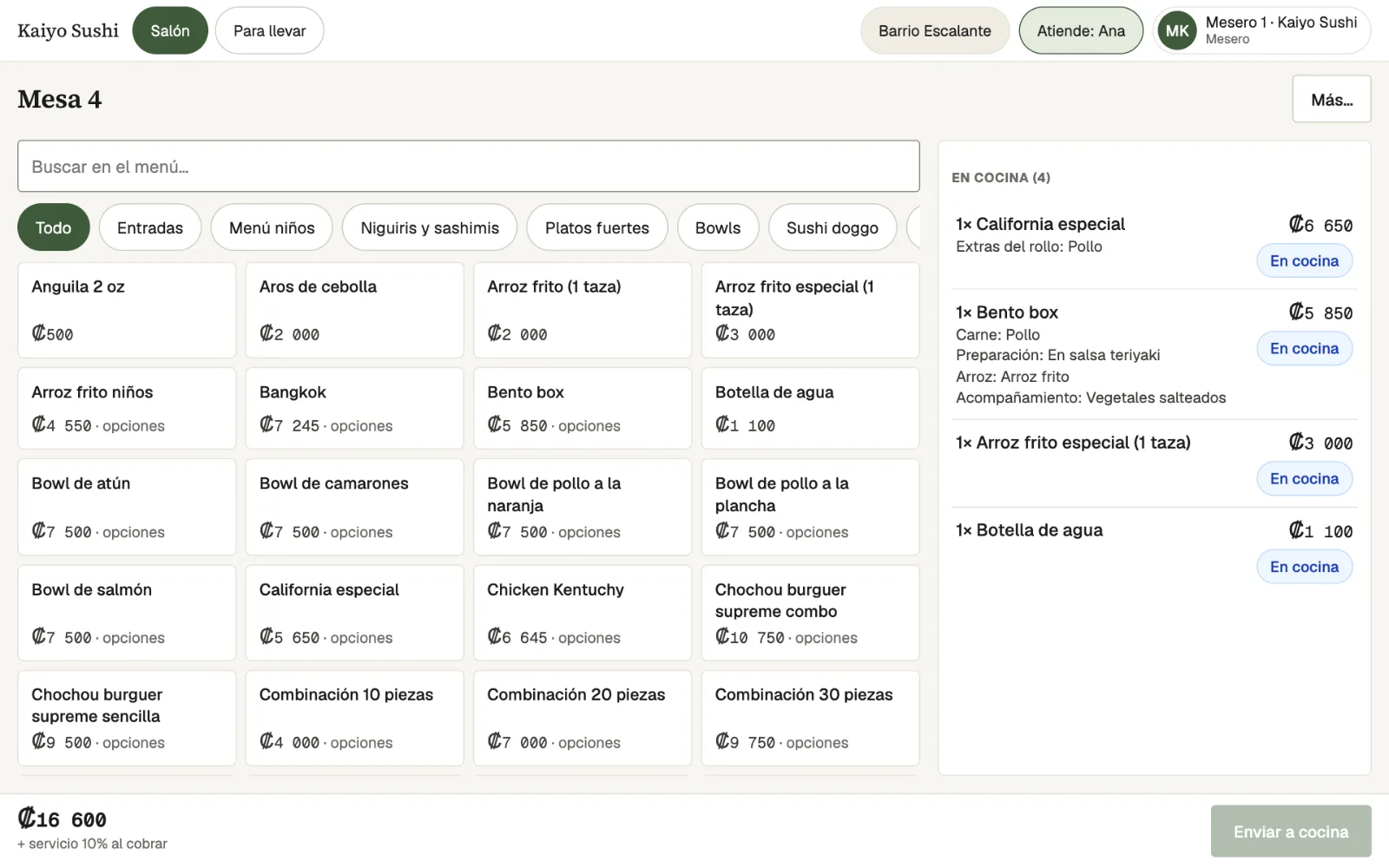
OrderThe menu by category with search and, on the right, what is already in the kitchen with its options. -
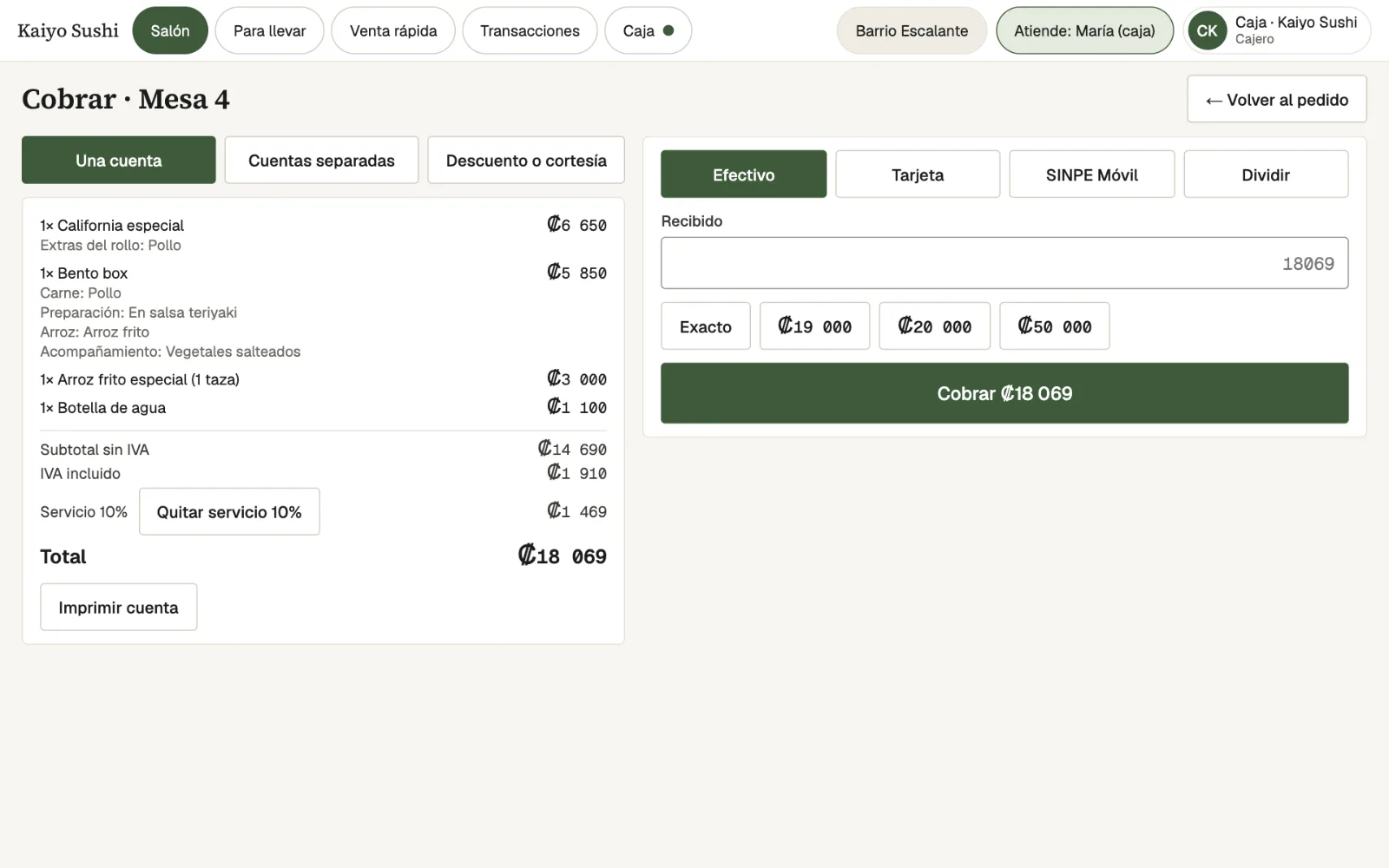
PaymentThe bill with VAT and service, paid in cash, by card, by SINPE Móvil or split. -
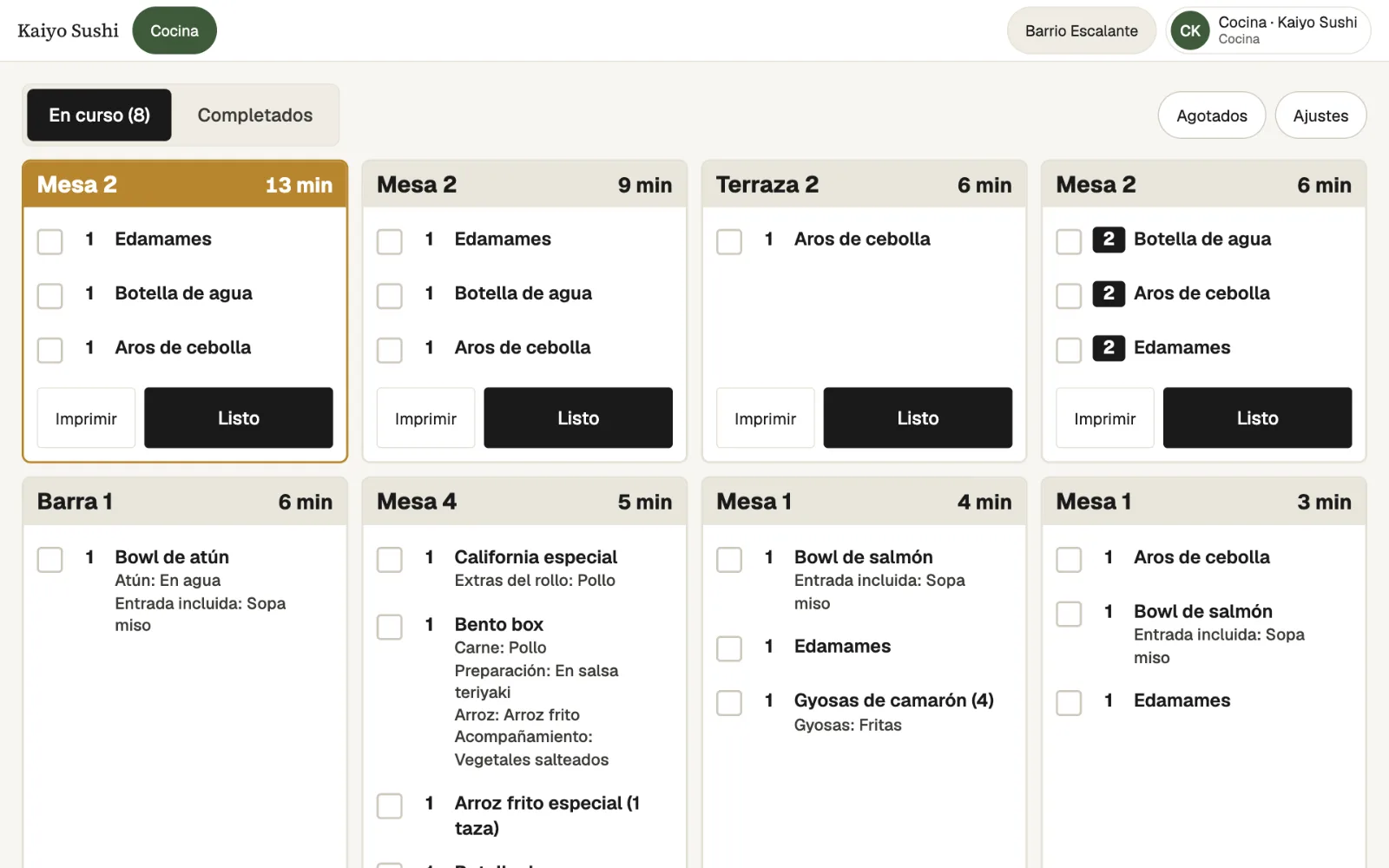
KitchenEach ticket with its table, its minutes and every dish's options.
Who it's for
What kind of business it fits
Full-service restaurants
Tables, servers, kitchen and split bills, plus the QR menu and reservations when you need them.
Sodas and cafés
No tables, no problem: the quick sale charges in seconds, and takeaway orders go through the kitchen.
Businesses with several branches
Each branch with its own tables, drawers, kitchen screens and stock, and reports to compare them.
Restaurants with delivery
Takeaway orders from the counter, phone, WhatsApp or platforms, on a board showing how the kitchen is doing.
Frequently asked questions
What people usually ask
Do I need to buy special hardware?
No. Lumix POS runs in the browser on tablets, phones and computers. To print receipts or kitchen tickets, a 58 or 80 mm Bluetooth thermal printer works, from Chrome on Android or a computer, or with the RawBT app on Android (iPad and iPhone can't print over Bluetooth).
What happens if the internet goes down?
Servers keep taking orders with the menu and tables saved on the device, and the quick sale keeps charging. Anything pending is sent on its own once the connection is back.
Can a table's bill be split?
Yes. It can be paid in equal parts, with several payment methods, or as separate checks where each person pays for their own dishes, with VAT and service worked out exactly as the sale charges them.
How does it handle the 10% service charge?
The percentage is set once and added only to dining room table bills, not to takeaway orders. It can be removed on a specific bill.
Does it work for a soda or café with no tables?
Yes. The quick sale is a counter checkout: pick the items, charge, done. Takeaway orders can also go through the kitchen.
Who can give discounts or void dishes?
Each person has a role with its permissions and signs in on shared tablets with their own profile and PIN. Discounts and other sensitive actions can require a manager's PIN, and everything is recorded in the audit log.
Also in Lumix POS
The rest of the system, connected
Contact
See how your restaurant would look in Lumix POS
Request a demo and we will walk you through the floor, kitchen and register with your menu and your way of working in mind.