QR menu · At the table
A QR menu for restaurants, connected to your kitchen
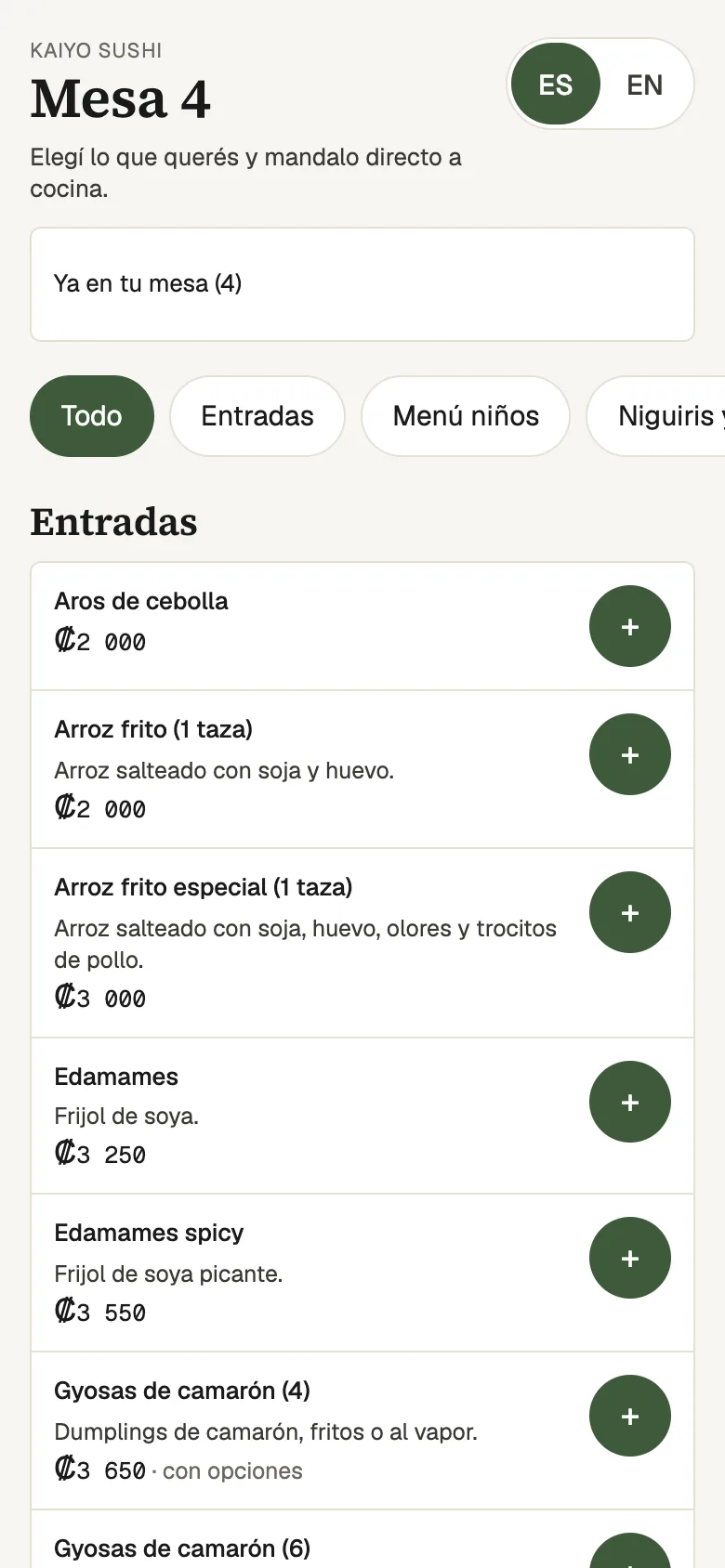
Each table's QR code opens your menu on the guest's phone, in Spanish or English. From there they can order, call a server or ask for the bill, without downloading any app.
Already using Lumix POS? Sign in
What it does
A QR menu that is more than a PDF
The Lumix POS QR menu comes from your own catalog: the same dishes, prices and options the server sees on the tablet. Change a price and the guest's menu already shows it, and a sold-out dish drops off.
The guest scans their table's code and picks a language, Spanish or English. Dish and option names show in English wherever the restaurant filled them in. They can build an order and send it straight to the kitchen, and from the same screen call a server or ask for the bill. The calls reach the staff serving that branch's tables, on the point of sale and, if they turn it on, as a notification on their device.
So nobody can order food to someone else's table, the printed code never changes but it isn't what places orders: scanning it gives the phone a visit that lasts an hour and ends when the table's bill is closed. On top of that, orders only go through once a server has opened the table. If a code gets out, it can be renewed and its old links stop working.
If you'd rather guests only browse, leave QR ordering off and the code shows the menu with its prices.
- Spanish or English. Guests switch language with one tap, handy for tourists.
- Orders straight to the kitchen. With each dish's options, just as if a server had taken it.
- Call a server. Or ask for the bill. The call shows on the point of sale of whoever serves those tables.
- The code never changes. You print the table cards once, from Lumix POS.
- One-hour visits. Each scan lasts an hour and ends when the bill is closed.
- Only on an open table. A photographed code can't send food to an empty table.
Step by step
How the QR menu works at the table
Print the codes
Lumix POS lays out one card per table, with the business name, the table and its QR code, ready to print.
The guest scans
They see the menu on their phone, choose Spanish or English and build their order.
Order or call
Once the table is open, they send the order to the kitchen, call a server or ask for the bill.
The bill closes
When the table is paid, the visit ends. The next guest scans and starts a new one.
-
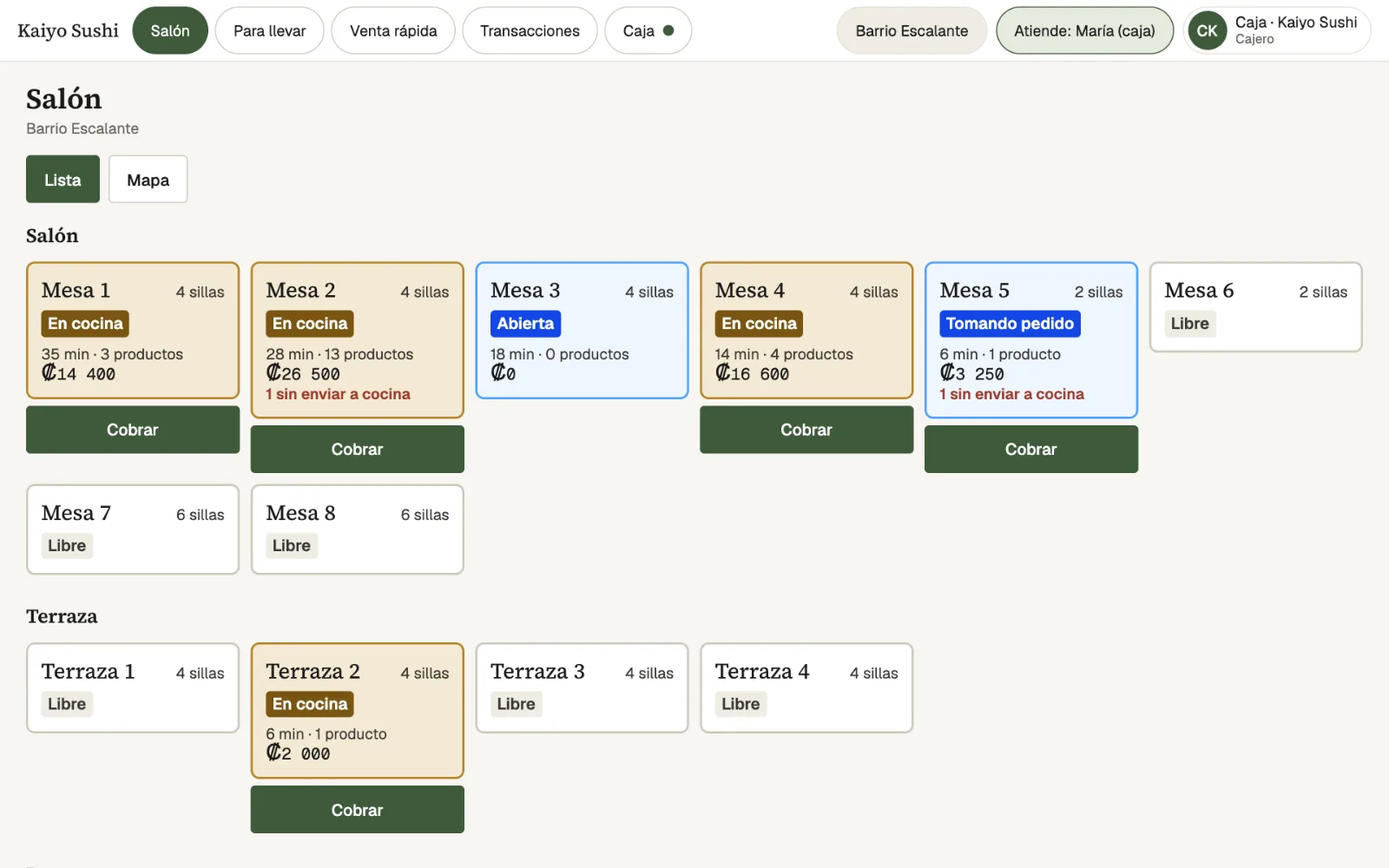
On the floorA table ordering by QR shows on the floor with its state, minutes and total, like any other. -
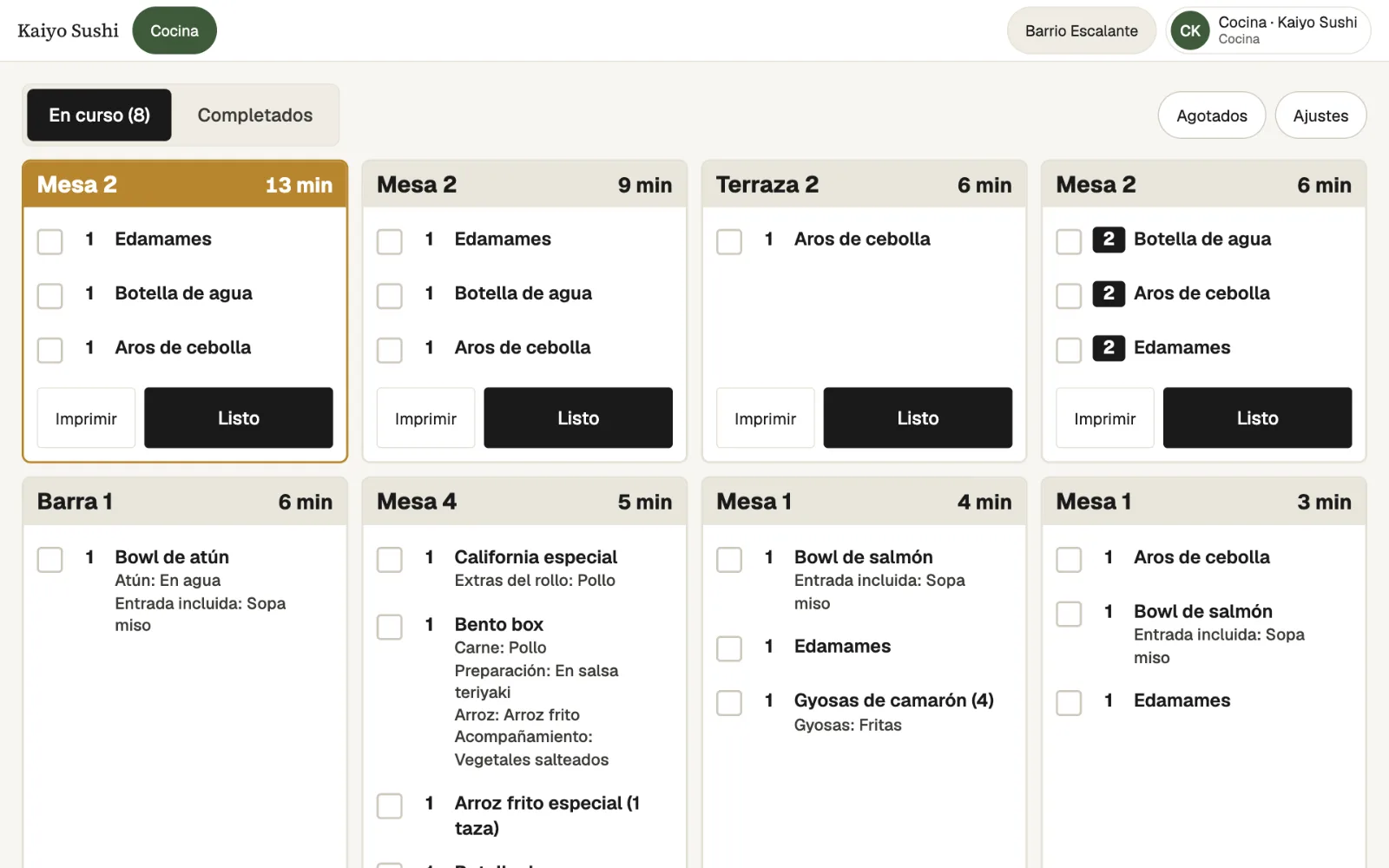
In the kitchenWhat the guest orders reaches the kitchen display with its options. -
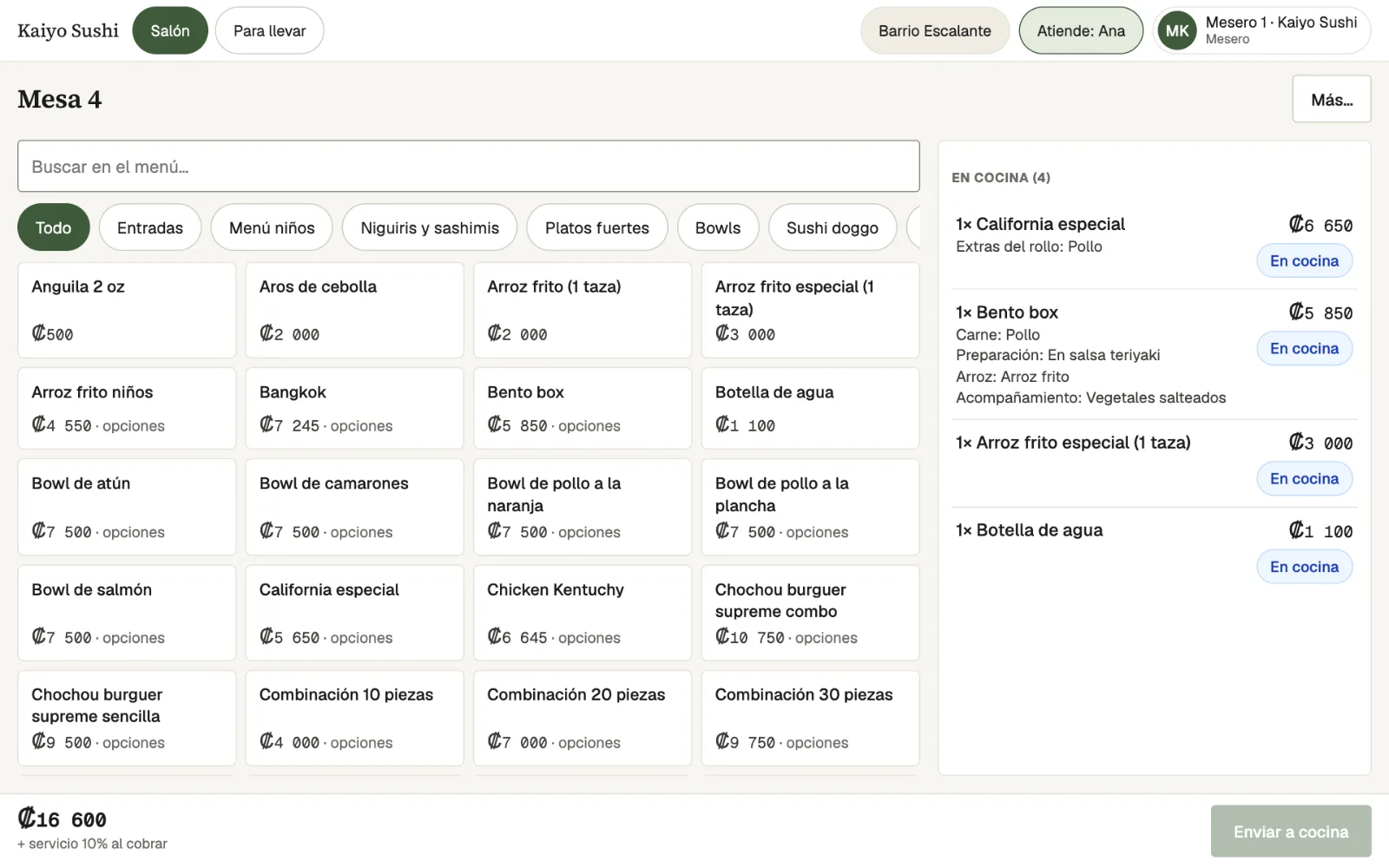
On the tabletThe server sees on the table's bill what is already in the kitchen.
Who it's for
Which restaurants it suits
Tourist areas
The English menu helps guests who don't read Spanish, without printing two menus.
Large rooms and terraces
Guests call a server or ask for the bill without waving.
Peak hours
Guests can order while servers handle other tables, and it all reaches the same kitchen.
Menus that change
Prices, new dishes and sold-out items update on the QR menu from the same catalog.
Frequently asked questions
What people usually ask
Do guests need to download an app?
No. The QR code opens the menu in the phone's browser.
Is the menu in English?
Yes. Guests switch between Spanish and English. The menu's own text is in English, and dish names are too wherever the restaurant translated them in the catalog.
What stops someone ordering from outside with a photo of the code?
The printed code only starts a one-hour visit that ends when the bill is closed, and orders only go through once a server has opened the table. If a code gets out, it can be renewed.
Do I have to reprint the codes?
No. Each table's code stays the same unless you decide to renew it.
Can I use it only as a menu, with no ordering?
Yes. With QR ordering off, guests see the menu and its prices, and call the staff to order.
How does a server know about a call?
The call shows on the point of sale of whoever serves that branch's tables and can arrive as a notification. Asking for the bill also alerts whoever takes payments.
Also in Lumix POS
The rest of the system, connected
Contact
Put your menu on the table
Request a demo and we will show you the QR menu with your dishes, from the guest's phone to the kitchen.