Hacienda · Version 4.4 documents
Electronic invoicing for restaurants, straight from the register
With Lumix POS, every sale in your Costa Rica restaurant goes out with its electronic ticket or invoice (version 4.4), signed with your business's key and sent to Hacienda, with no data to copy into another system.
Already using Lumix POS? Sign in
What it does
Each sale issues its own document
In many restaurants, e-invoicing lives in a separate program: you charge on one screen and invoice on another, typing it all again. In Lumix POS the document comes from the sale itself, with the same lines, the same VAT and the same payment methods.
If the guest doesn't ask for an invoice in their name, the sale goes out as an electronic ticket (tiquete electrónico). If they do, the cashier picks them from your customers when charging the table or in the quick sale, and the sale goes out as an electronic invoice. When a sale is refunded, Lumix POS issues the credit note that references the original document, with the reason the cashier entered.
Each document is built as version 4.4 XML with its key (clave) and sequence number, signed with the issuer's cryptographic key (.p12) and sent to Hacienda, Costa Rica's tax authority. Lumix POS checks the answer and keeps each document's status. If Hacienda doesn't respond, it retries on its own, and anything that needs a look waits in a list where it can be sent again.
To be clear about setup: to issue documents, your company enters its issuer details once, along with its ATV e-invoicing username and password and its .p12 key with its PIN. The business gets those from Hacienda's ATV portal. Lumix POS does not register you with Hacienda.
- Electronic tickets and invoices. A ticket by default, an invoice when the sale carries a customer.
- Credit notes. Refunding a sale issues its credit note, which references the original document.
- Signed with your key. Signed with the issuer's .p12 key. The PIN and the ATV password are stored encrypted.
- Sent to Hacienda. Sending, checking the answer and automatic retries when Hacienda is unavailable.
- Payment methods done right. Cash, card and SINPE Móvil go onto the document as they were charged, even when a bill is paid several ways.
- The period's VAT. Sales per rate, VAT on purchases and the balance due are worked out for the D-104 return.
Step by step
From the sale to Hacienda, step by step
Set it up once
In Settings, Hacienda tab: the issuer's ID and details, economic activity, ATV username and password, and the .p12 key with its PIN.
Charge as usual
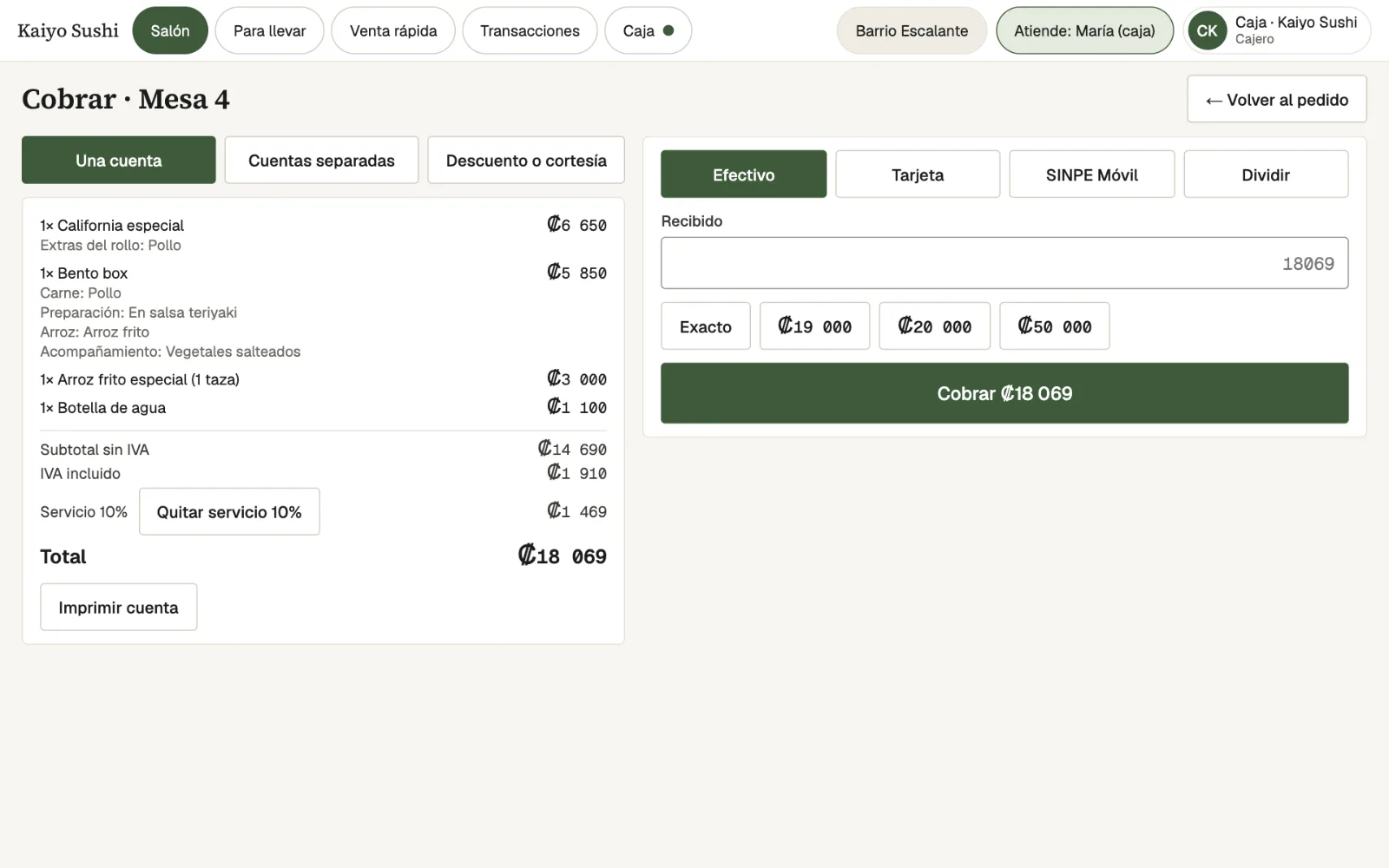
With no customer, the sale is a ticket. With a customer, it's an invoice. There's no second screen for invoicing.
Signed and sent
Lumix POS builds the 4.4 XML, signs it, sends it and checks whether Hacienda accepted or rejected it.
Close the month
The period's VAT on sales and purchases is worked out to prepare the D-104 return.
-
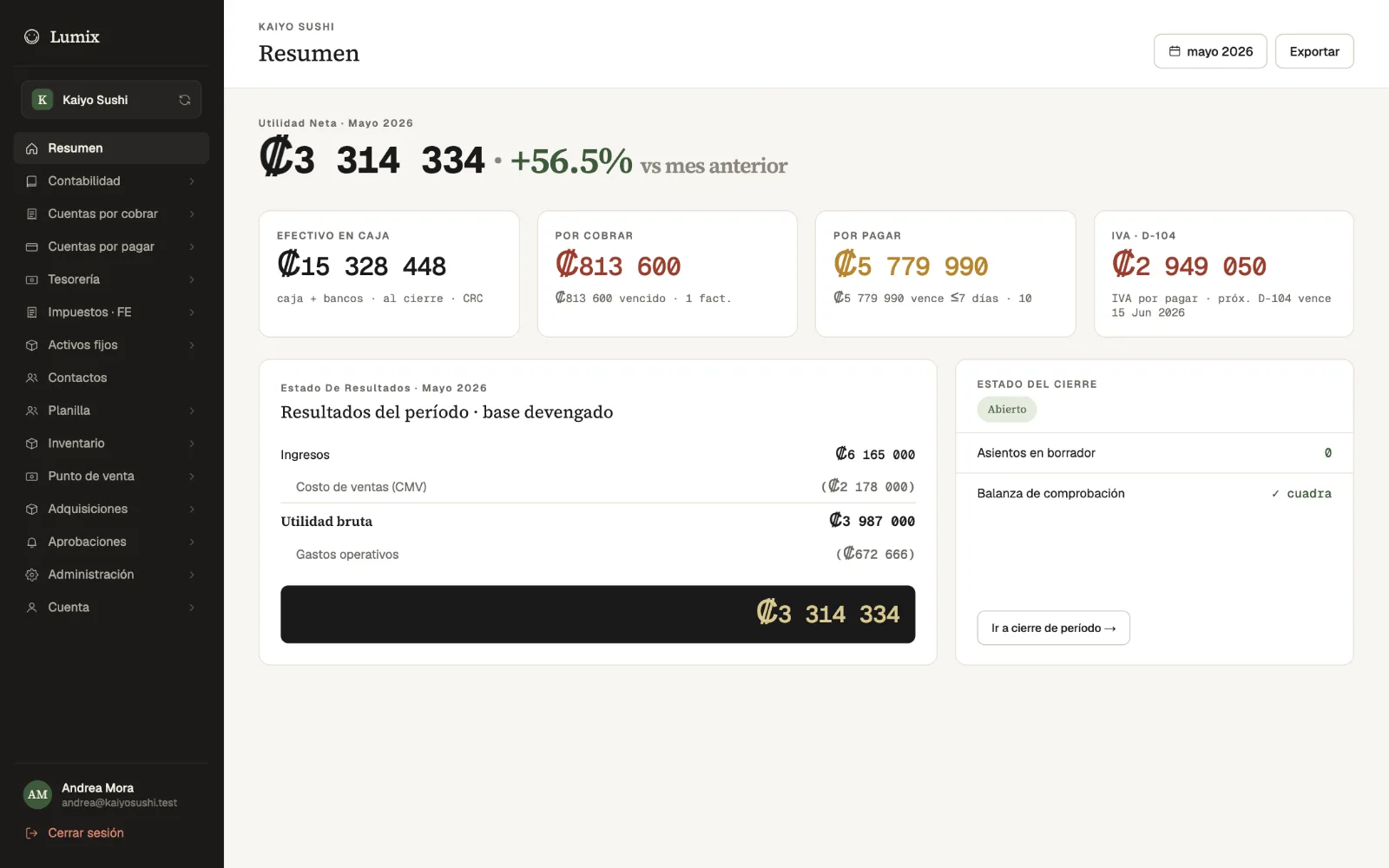
Owner's summaryThe period's VAT payable with the D-104 due date, next to profit and cash. -
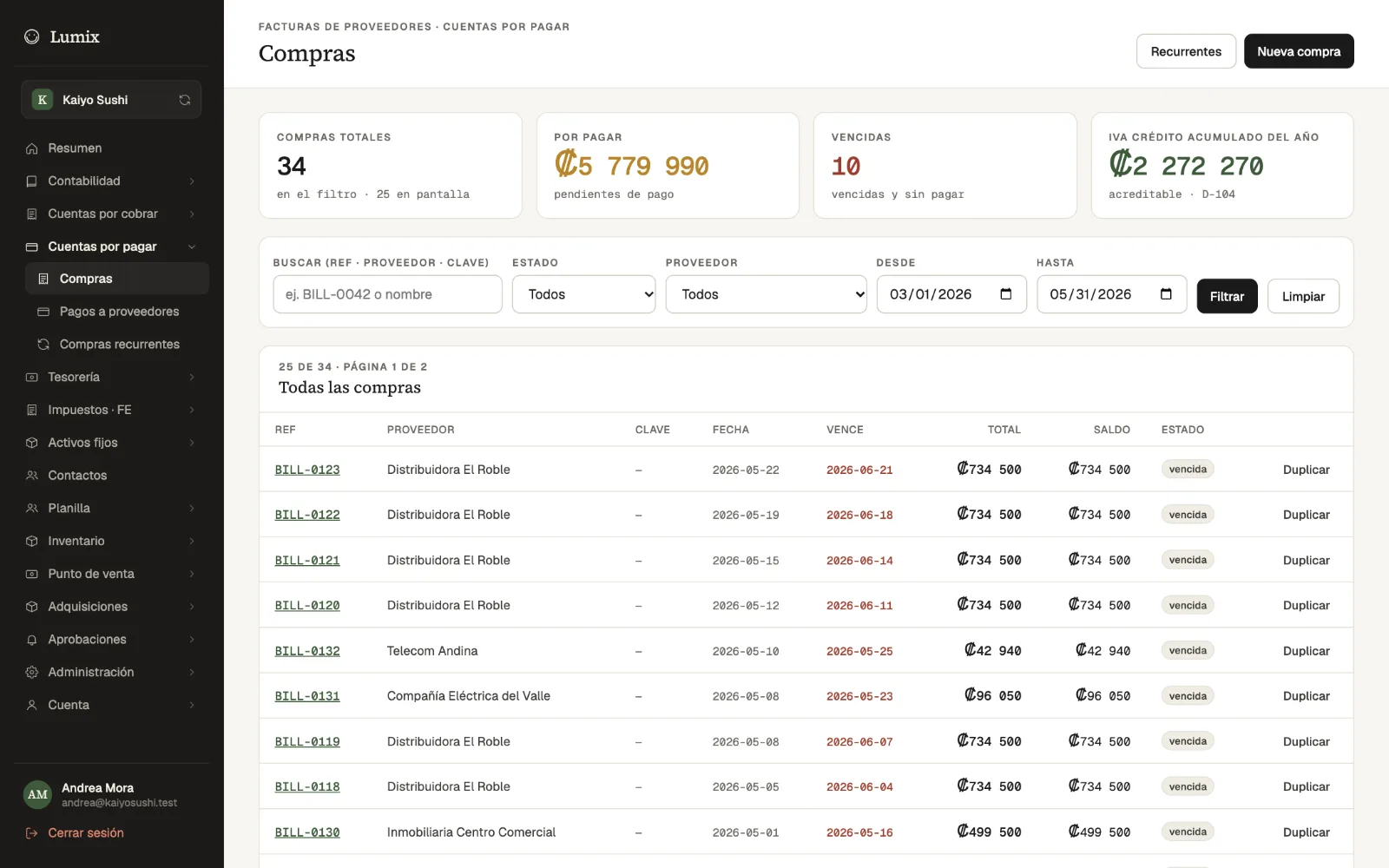
VAT on purchasesSupplier bills with the VAT credit accumulated for the year. -
PaymentThe bill with VAT and service shown apart, just as they go onto the document.
Who it's for
Who it's for
Restaurants already invoicing
No more charging in one system and invoicing in another: the document comes from the same sale.
Sodas and cafés
The quick sale issues tickets with no extra steps, and an invoice when the guest asks for one.
Accountants
They see the documents, VAT on sales and purchases and the period's balance without asking for separate reports.
Businesses with several branches
Every sale in the company is signed with the same key and lands in a single list.
Frequently asked questions
What people usually ask
What do I need to start issuing?
Your company's issuer details, the ATV e-invoicing username and password, and the .p12 cryptographic key with its PIN. They are entered once in the Hacienda tab in Settings.
Does it issue tickets or invoices?
Both. A sale with no customer goes out as an electronic ticket. If the guest asks for an invoice in their name, the cashier picks them from your customers when charging the table or in the quick sale, and it goes out as an electronic invoice.
What happens when I refund a sale?
Lumix POS issues a credit note that references the original ticket or invoice, with the reason the cashier enters.
What if Hacienda doesn't respond?
The document is kept with its status and Lumix POS retries it on its own, spacing out the attempts. Those that need a look show up in a list where they can be sent again.
Does it help with the D-104?
Yes. It works out sales per VAT rate, VAT on sales, VAT credit on purchases and the period's balance. You or your accountant file the return with Hacienda, and the payment is recorded in Lumix POS.
Is it version 4.4?
Yes. Documents are built in Hacienda's version 4.4 XML format.
Also in Lumix POS
The rest of the system, connected
Contact
Invoice from the same register
Request a demo and we will show you how each sale's ticket or invoice is issued and what you need to start.