Restaurant POS and ERP · Costa Rica
Your restaurant, from the dining room to the books, in one system.
Lumix brings tables, kitchen and register together with accounting, purchasing, inventory, payroll and Hacienda e-invoicing. What you sell on the floor reaches the books on its own.
Already using Lumix? Sign in
How it connects
What you sell on the floor reaches the books on its own.
Each step feeds the next, with no exporting and no retyping.
Order at the table
The server takes it on the tablet, or the guest orders from the QR menu.
Kitchen
The ticket reaches the kitchen display, or prints, with every option on it.
Payment
Cash, card or SINPE Móvil, with its electronic ticket or invoice for Hacienda.
The books
The sale and its FIFO cost post to the ledger on their own, and VAT payable shows up in the summary for the D-104 return.
Front of house: floor, kitchen and register
The whole service, on the dining room tablets
Servers, kitchen and register work on the same order, in the browser of the tablets, phones and computers you already have.
- Floor and tables. Every table by zone or on a map of the room, with the state, time and total of each one.
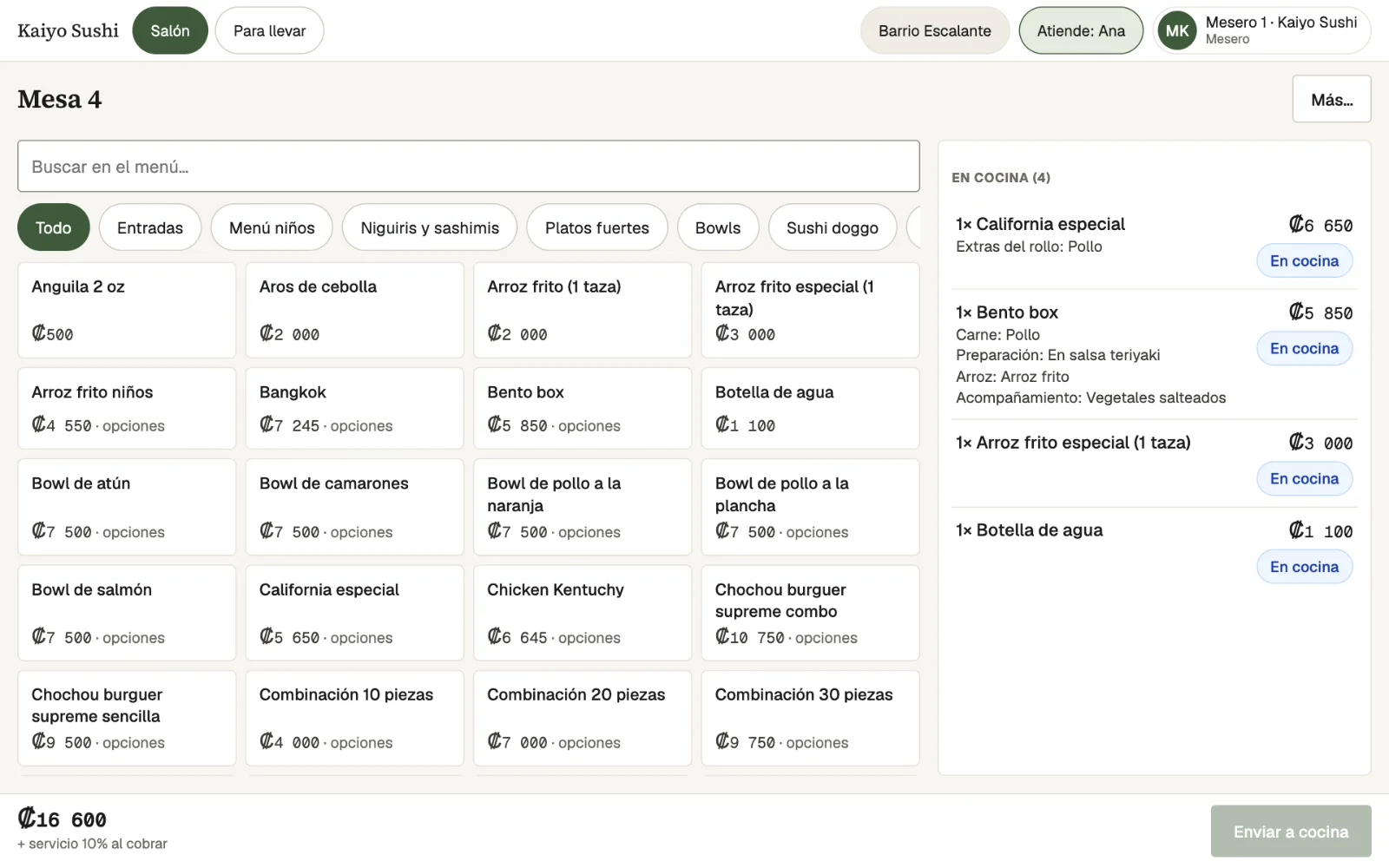
- Orders with options. A menu by category with search, and options such as the meat, the preparation or the side that reach the kitchen exactly as ordered.
- Kitchen display. Tickets per table with the minutes they have been waiting, through to Ready. Also on a wall TV, or printed on 58 and 80 mm Bluetooth thermal printers.
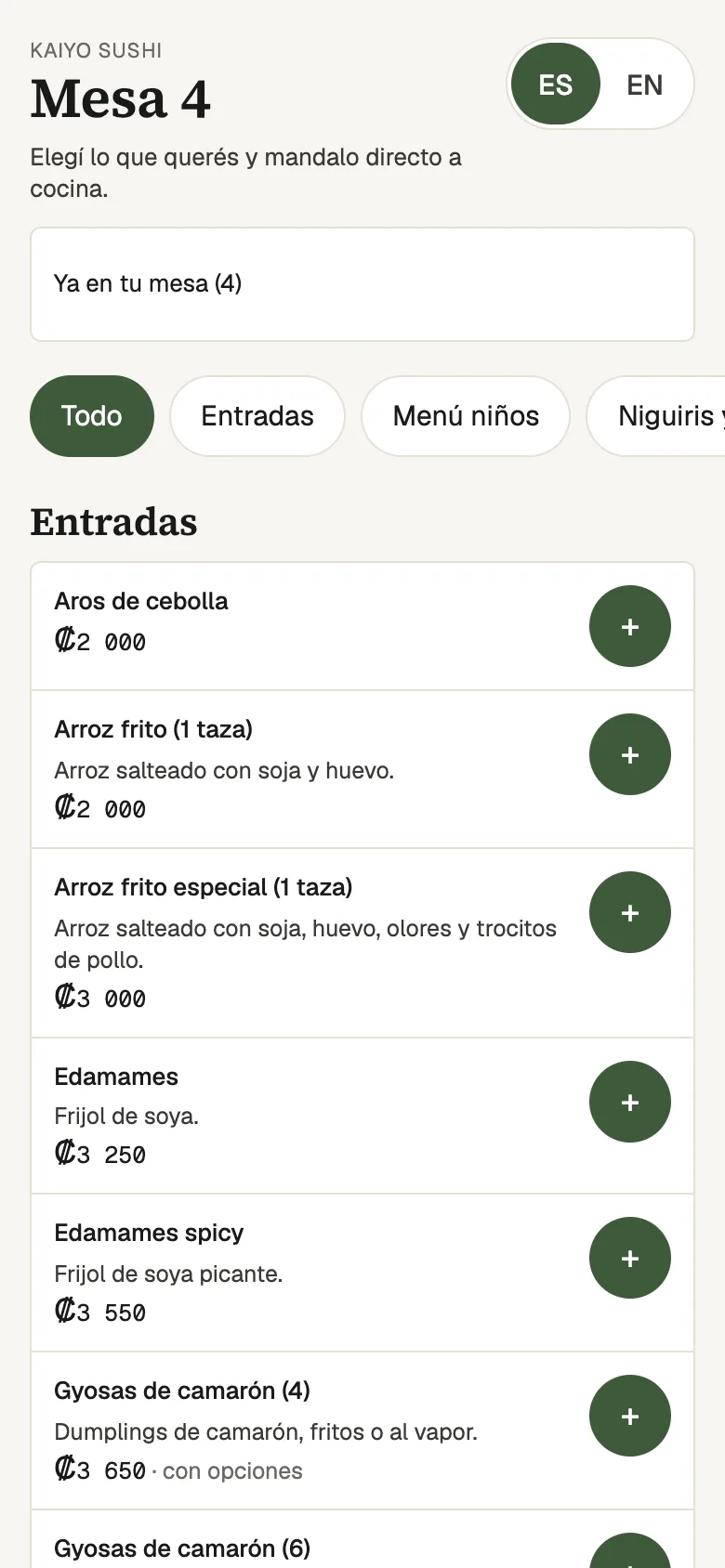
- QR menu at the table. In Spanish or English on the guest's phone; they order and can call a server.
- Flexible payments. Cash with change, card and SINPE Móvil, separate bills, discounts or comps, and the 10% service charge.
- More than tables. Quick sale, takeaway and delivery, reservations and waitlist, cash drawers with Z reports, and regular customers.
- Keeps going offline. Servers keep taking orders and the quick sale keeps charging. Everything is sent once the connection is back.
-
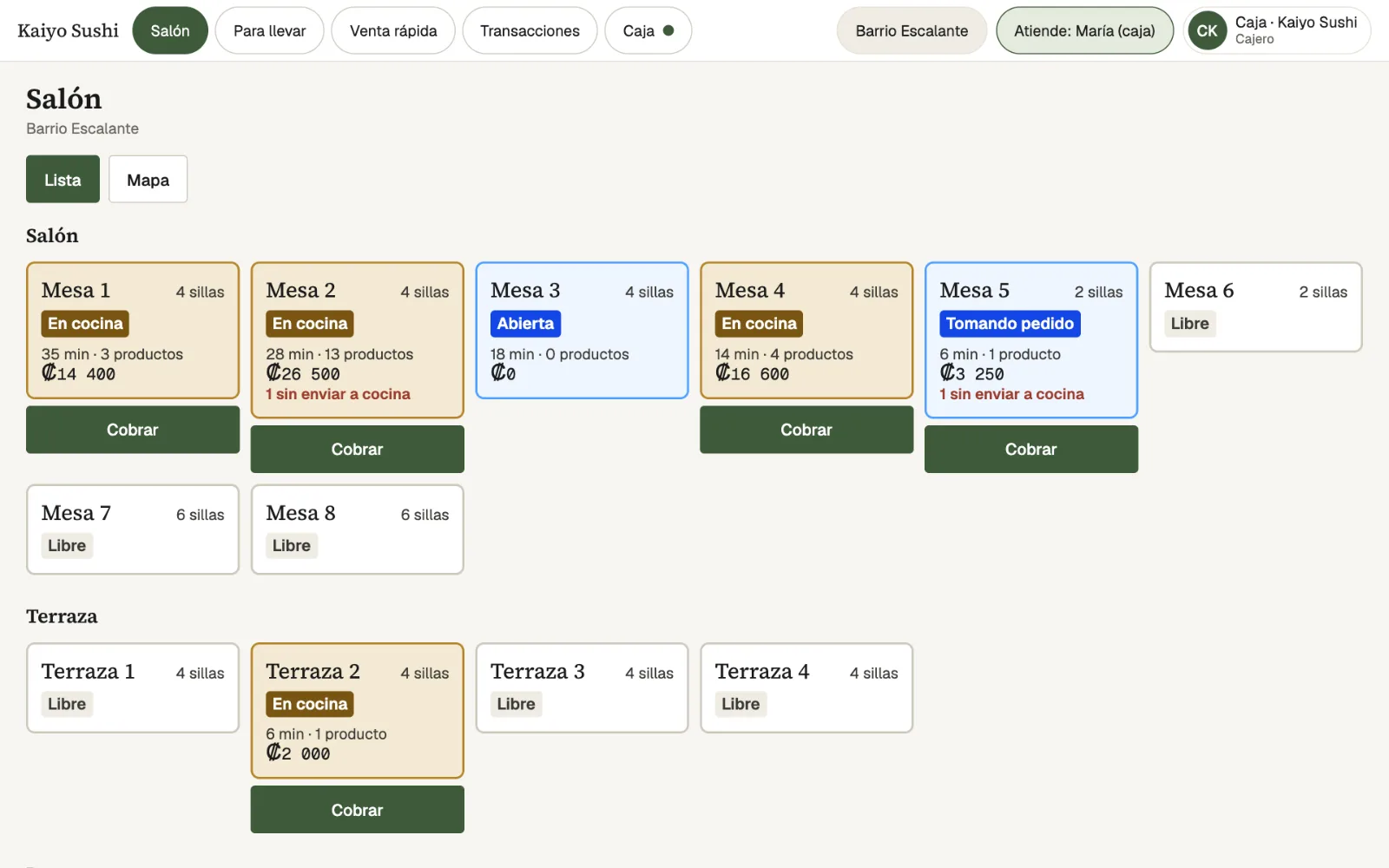
Dining roomEvery table with its state, minutes, items and total. Busy tables have their own Charge button. -
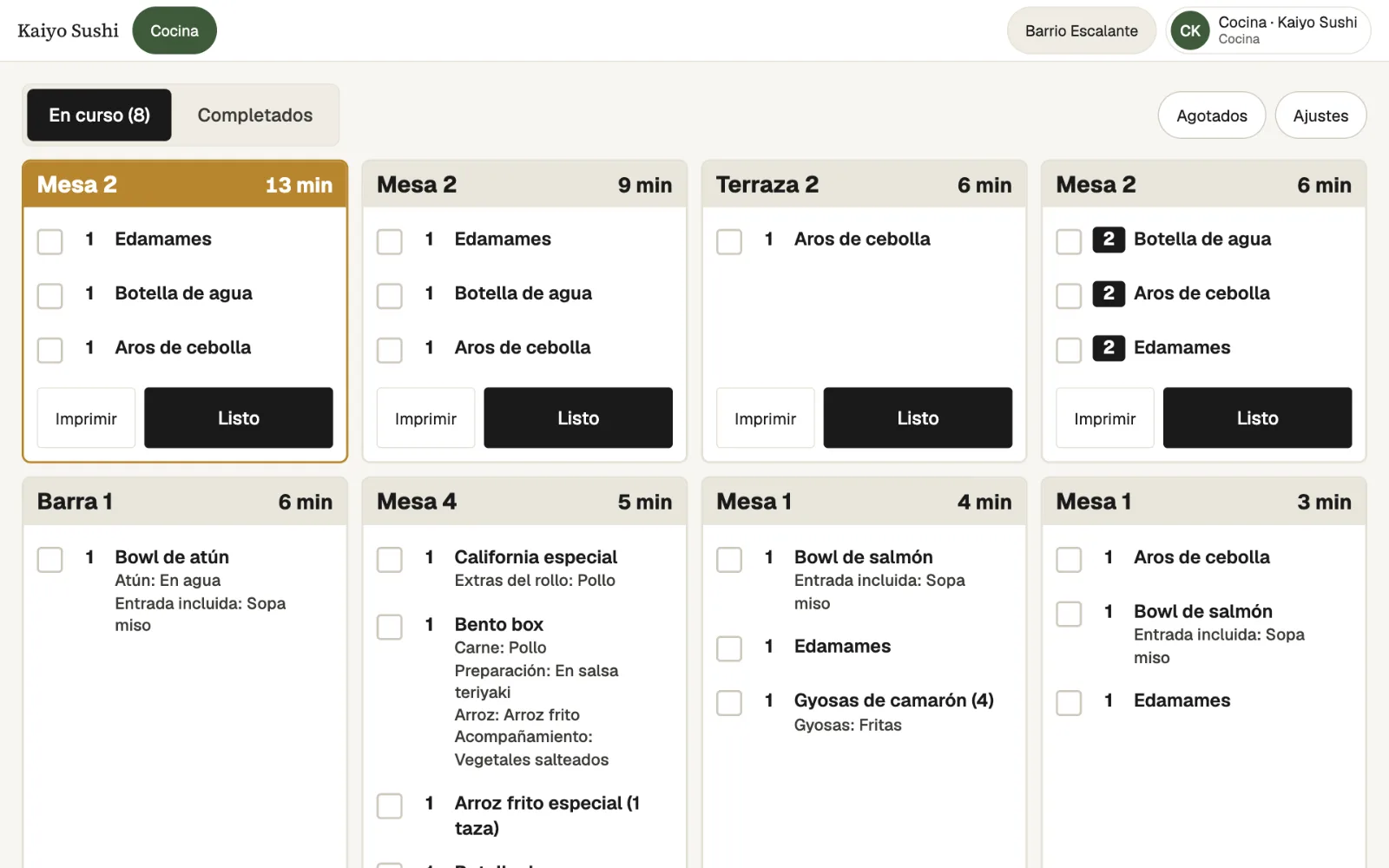
KitchenTickets per table with the minutes they have been waiting, each dish's options and a Ready button. -
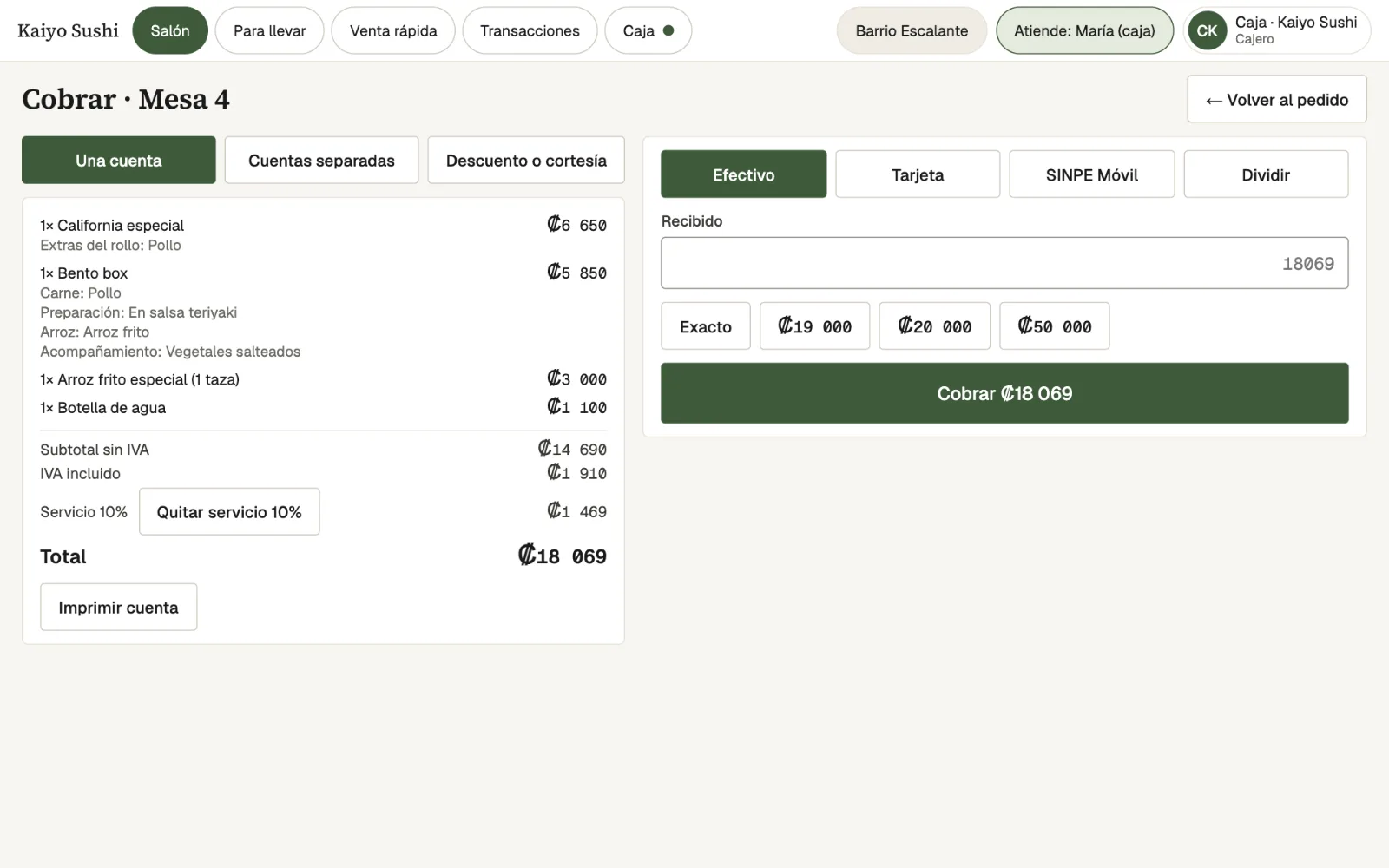
PaymentThe bill with VAT and service, paid in cash, by card, by SINPE Móvil or split, with quick amounts for change.
Back office: accounting, Hacienda, inventory, purchasing and payroll
Books kept current, with no sales to retype
Owners and accountants work from the same data as the dining room: sales, costs, purchases, payroll and taxes in one place.
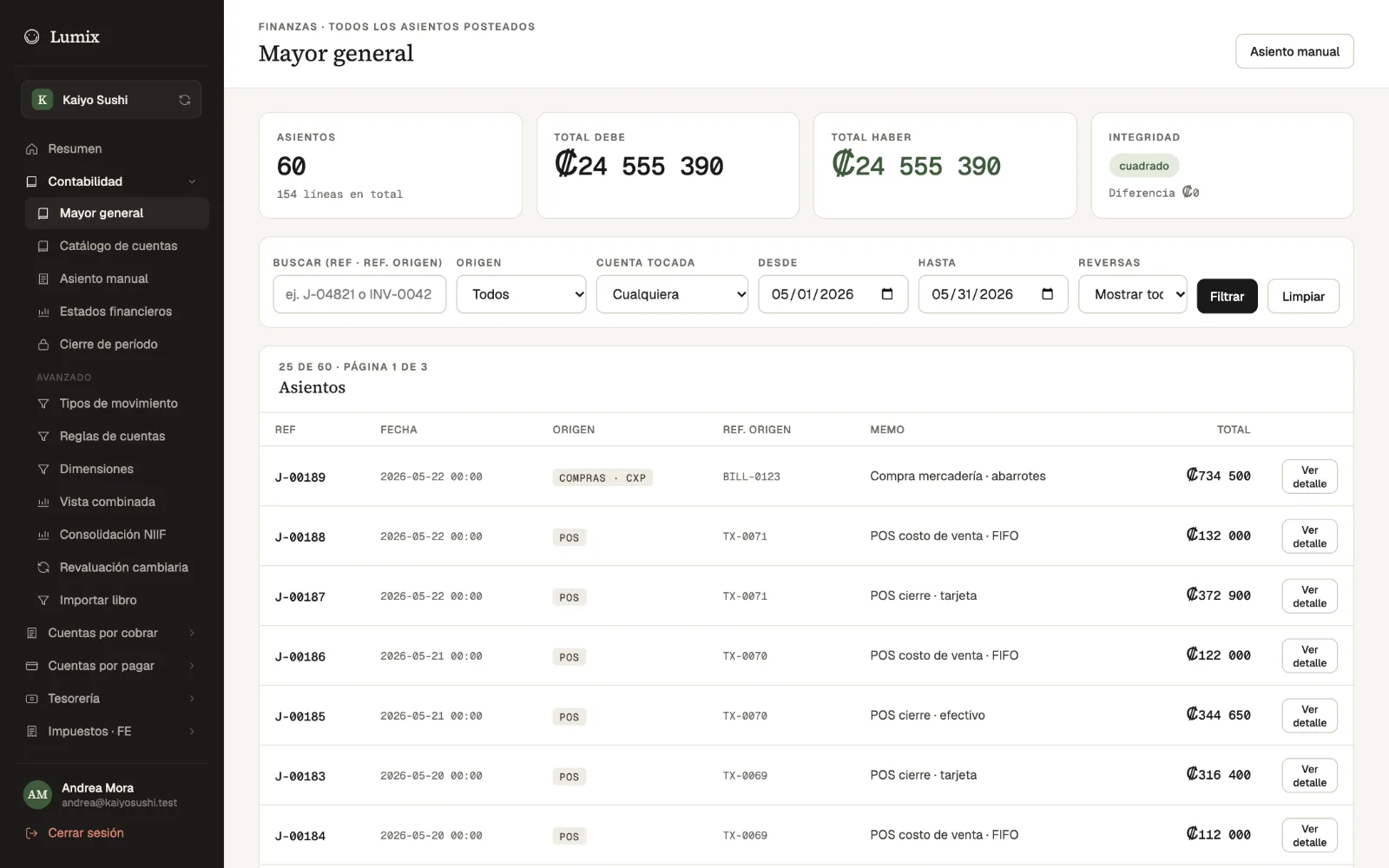
- Automatic accounting. Every sale and purchase creates its journal entry in the ledger, with FIFO cost of sales.
- Financial statements. Results against the previous period, balance sheet, trial balance, cash flow and results by dimension.
- Purchasing and payables. Purchase orders, reorder suggestions, goods receipts and supplier bills with three-way matching, due dates and VAT credit.
- Inventory. Stock per branch at FIFO value, lots and expiry dates, stock counts, transfers, recipes and production.
- Payroll. Payroll runs with employee and employer CCSS, salary tax and provisions such as the aguinaldo (13th month).
- Hacienda. The D-104 return and e-invoicing version 4.4: electronic tickets, invoices, and credit and debit notes, signed with the business's key.Your company's Hacienda credentials are set up to issue them.
- Close and reports. Period close, bank reconciliation and fixed assets, plus restaurant reports: voids, tips, best-selling dishes, kitchen speed and sales by channel.
-
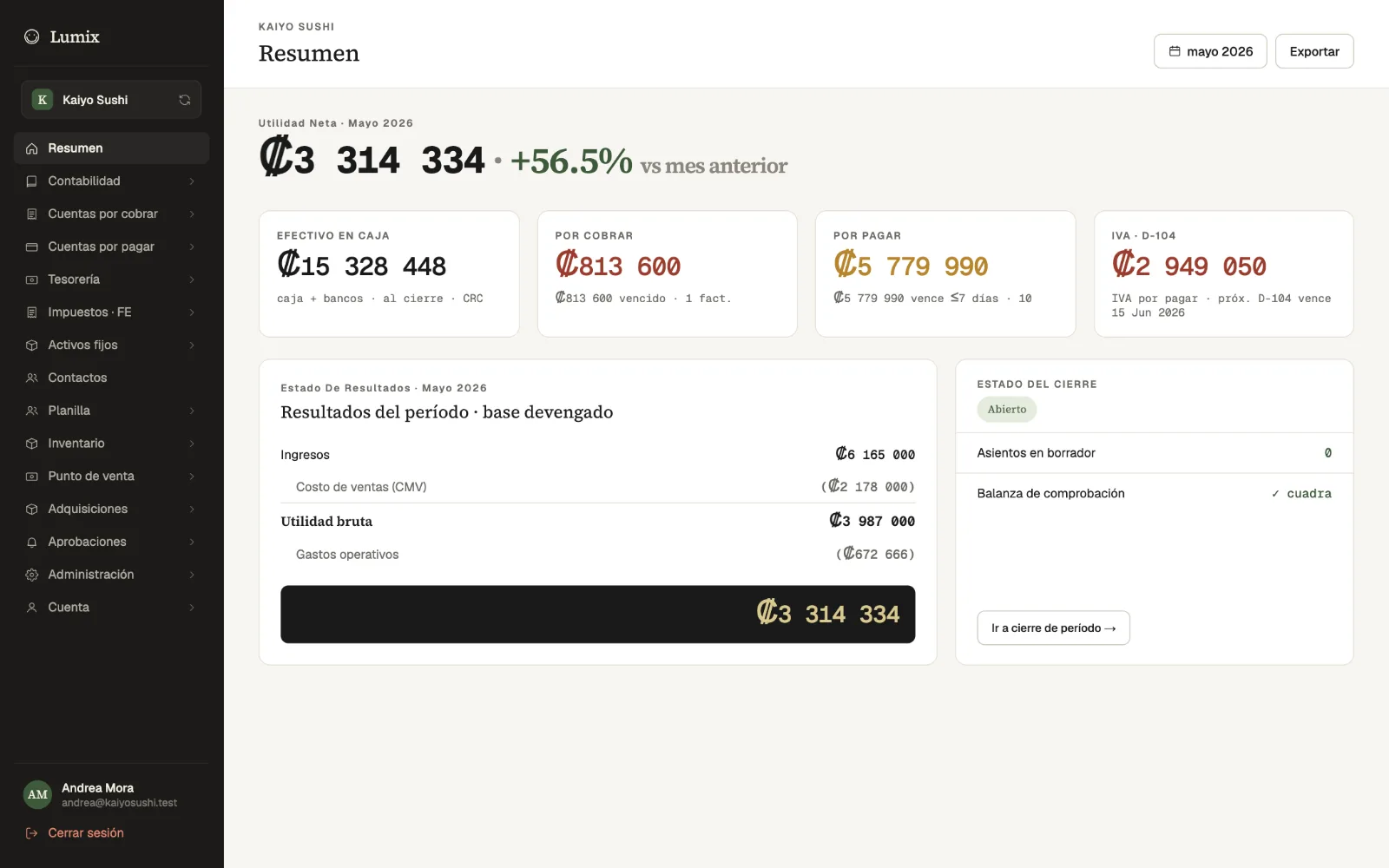
Owner's summaryThe month's profit, cash, what you are owed and what you owe, D-104 VAT with its due date, and the close status. -
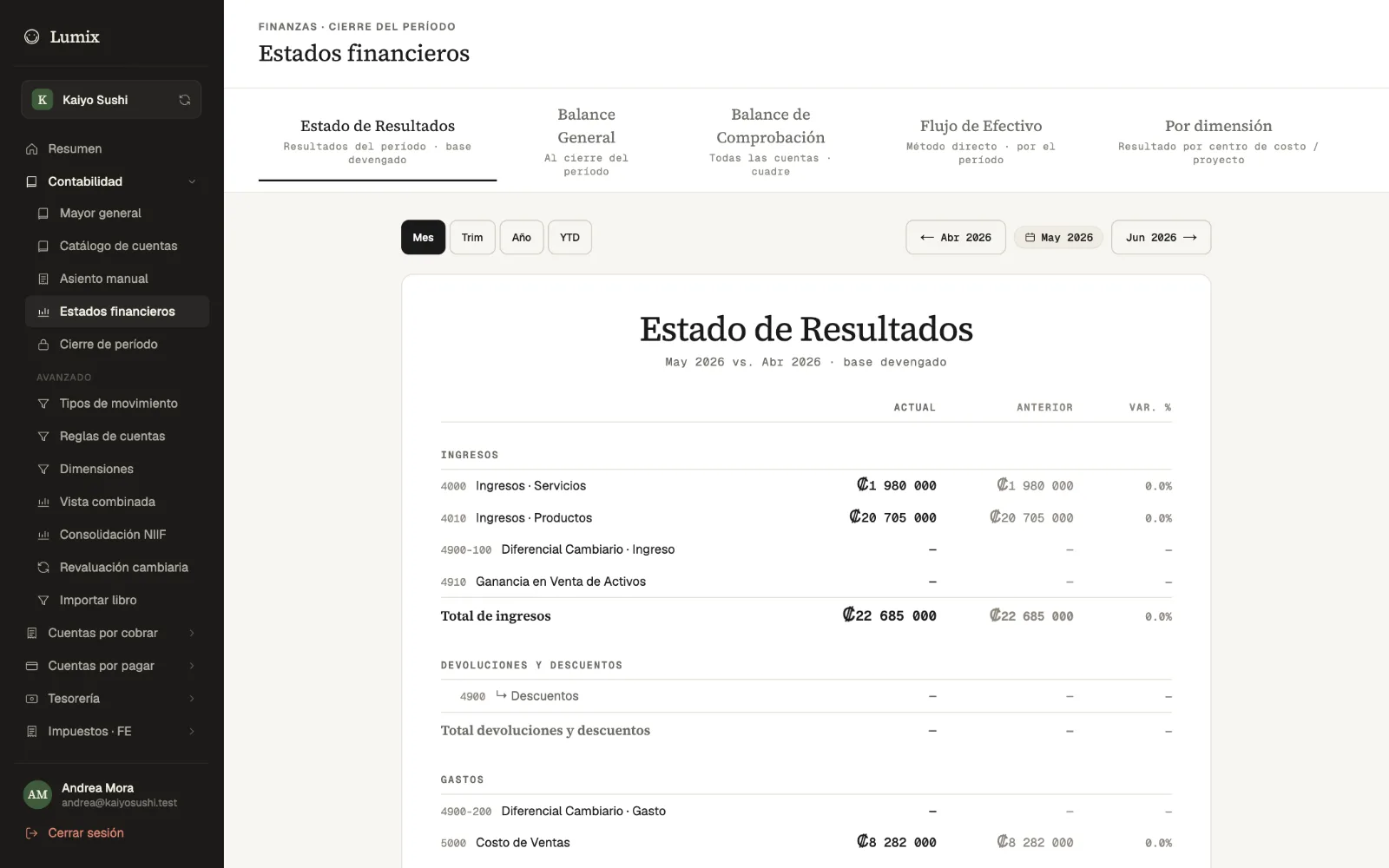
Financial statementsThe month's results against the last one, with the balance sheet, trial balance and cash flow one tap away. -
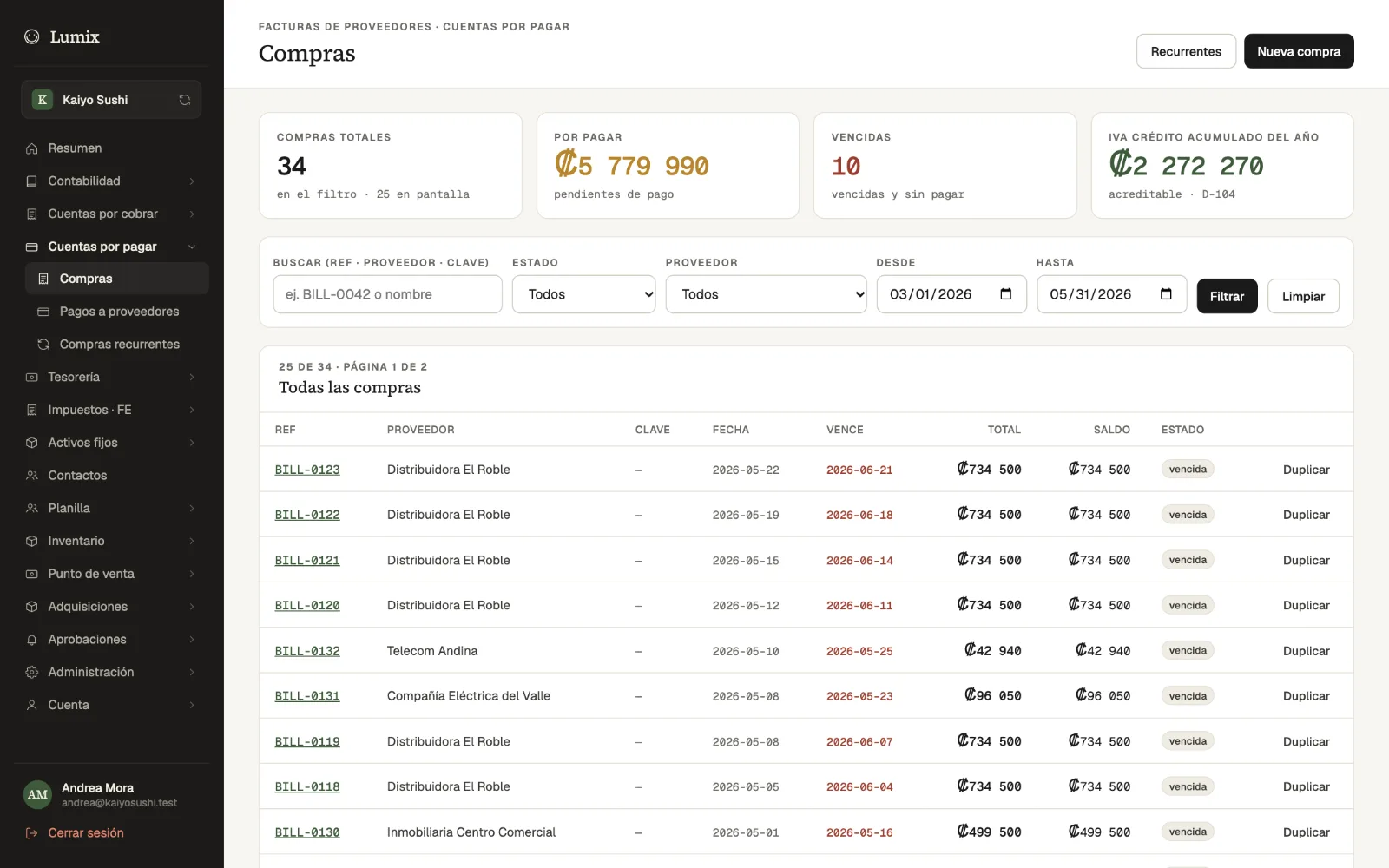
PurchasesSupplier bills with due date, balance and status, and the VAT credit accumulated for the year. -
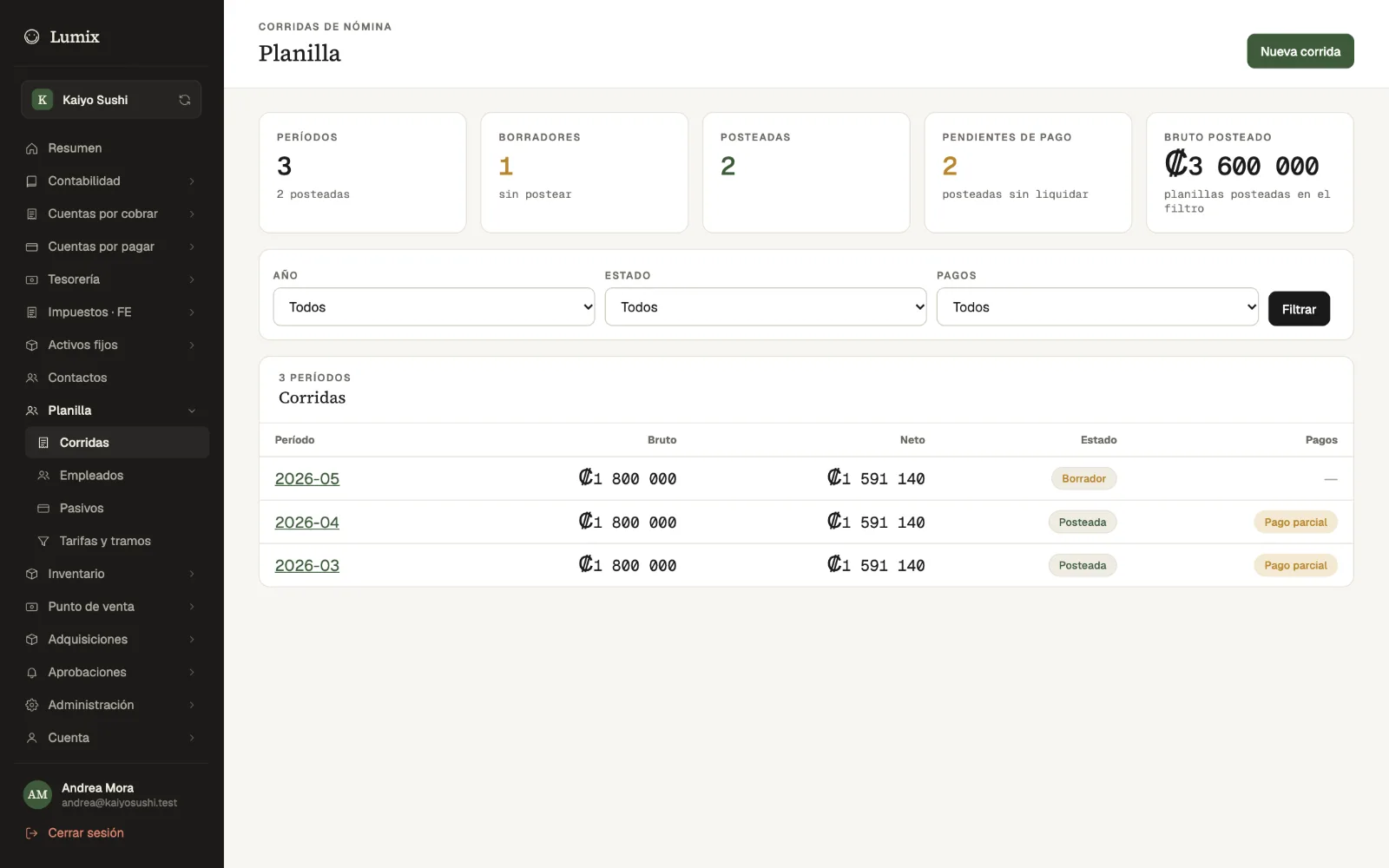
PayrollRuns by month with gross, net, status and payments. -
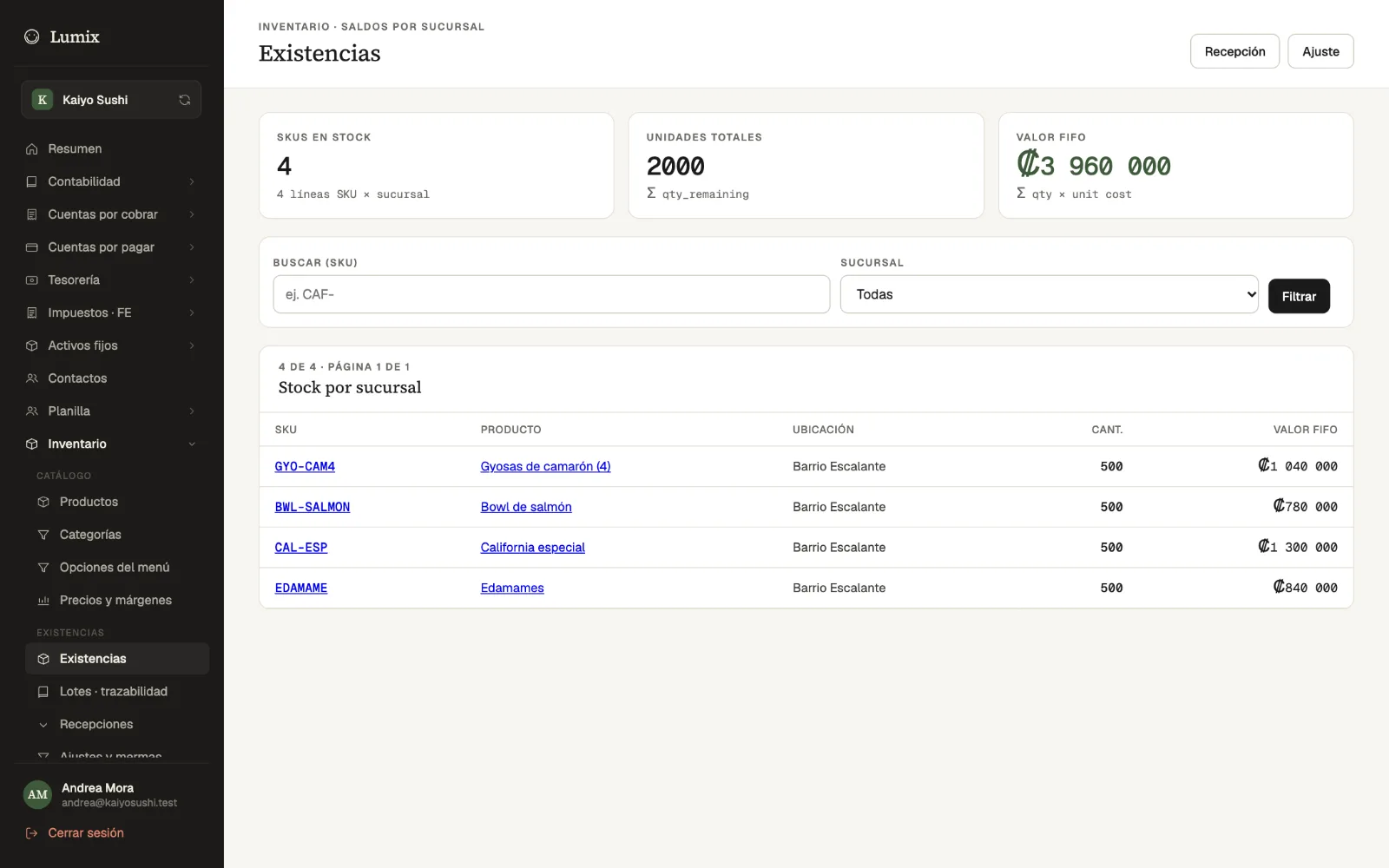
InventoryStock per branch, with the quantity and FIFO value of each product.
Who it's for
Built for restaurants in Costa Rica
Full-service restaurants
Tables, servers, kitchen and split bills, plus the QR menu and reservations when you need them.
Cafés, sodas and counters
No tables, no problem: the quick sale charges in seconds, and takeaway orders go through the kitchen.
Businesses with several branches
Each branch with its own tables, drawers and stock, transfers between them and reports side by side.
Whoever keeps the numbers
Owners and accountants see sales, costs, taxes and financial statements without exporting or retyping.
How it works
Getting started is simple
Request a demo
Message us on WhatsApp or by email and tell us how your business works.
See Lumix in action
We walk you through the floor, kitchen, register and accounting with your operation in mind.
Use it on your devices
It runs in the browser on the tablets, phones and computers you already have.
Frequently asked questions
What happens if the internet goes down?
Servers keep taking orders with the menu and tables saved on the device, and the quick sale keeps charging. Anything pending is sent on its own once the connection is back.
Does it issue Hacienda e-invoices?
Yes. It creates electronic tickets and invoices (version 4.4), plus credit and debit notes, signs them with the business's cryptographic key and sends them to Hacienda. Your company's Hacienda credentials are set up for this.
What equipment do I need?
A browser on tablets, phones or computers. To print, a 58 or 80 mm Bluetooth thermal printer works, and the kitchen can use a TV with a browser.
Does it work with several branches?
Yes. Each branch has its own tables, drawers, kitchen screens and stock, and the reports let you compare them.
Who can see and do what?
Each person has a role with its permissions, and on shared tablets they sign in with their own profile and PIN. Discounts and other sensitive actions can require a manager's PIN or an approval, and everything is recorded in the audit log.
Is my data kept apart from other businesses?
Yes. Each company's data is isolated in the database itself, not only in the application.
Contact
See Lumix with your operation in mind
Request a demo and we will show you how your restaurant would look in Lumix, from the dining room to the books.